
TIME WARP SCAN: Face Scanner
ZipoAppsPhotography
4.62.37K Reviews
- Version
- 6.8.3.1
- Installs
- 10.00M
- Age Rating
- Everyone
Screenshots
Our Review of TIME WARP SCAN: Face Scanner
 Analysis by Appyee
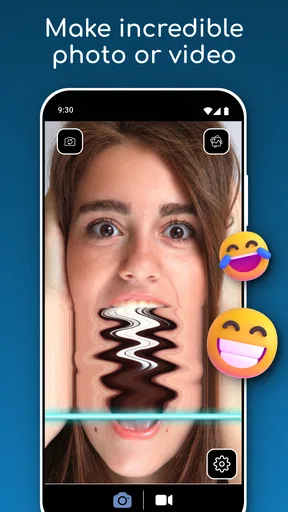
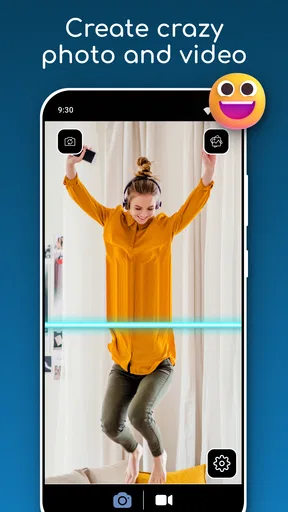
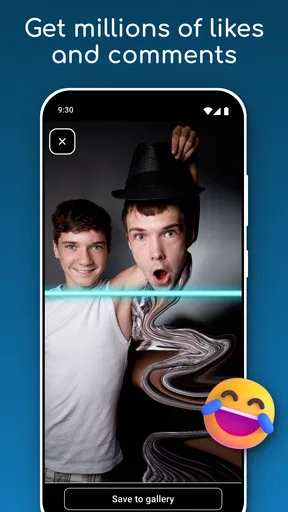
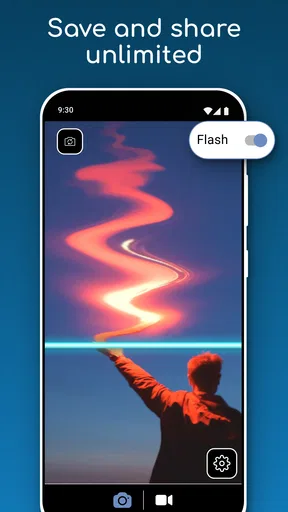
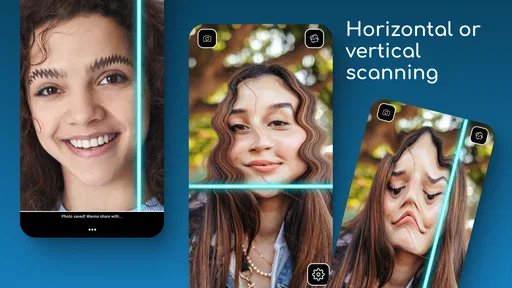
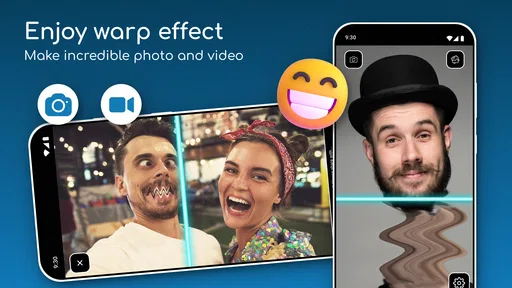
I tried TIME WARP SCAN: Face Scanner as the kind of camera app people pass around at home when everyone wants to make a strange, funny clip. Its appeal is immediate: instead of behaving like a normal camera, it builds the familiar time-warp effect around a moving scan line, bending faces and objects as the frame is captured. I found it most enjoyable when used as a shared-device experience, with one person holding the phone and another deciding how exaggerated the result should be.
That focus matters because this is not a complete photography replacement. It belongs to the playful side of photography apps, where the goal is experimentation rather than accurate portraits, careful exposure, or polished editing. ZipoApps presents it as a free app for taking pictures and videos with a TIME WARP SCAN filter, and that description is a fair summary of its personality. I would recommend it to people who want a quick visual joke, but not to someone searching for a serious camera toolkit.
How it works when a household shares one phone
The easiest way to enjoy the app is to treat the phone like a small stage. One person opens the camera, another stands in front of it, and everyone watches the scan progress. A slow movement can stretch one side of a face, while a sudden gesture can produce a more dramatic bend. The result depends heavily on timing, so the first attempt is often less interesting than the second or third.
That trial-and-error quality makes it suitable for casual household use. A parent might record a child making a deliberately serious expression, siblings can compete to create the oddest pose, or friends can use the same phone during a gathering without needing a long explanation. The app has a low learning curve because the effect itself tells you what to do: move through the scan and see what changes.
In my experience, the best clips come from giving each person a clear turn. The person filming should keep the phone reasonably steady, while the subject chooses one movement and commits to it. If everybody talks over one another or the phone changes direction halfway through, the result can look accidental rather than funny. That is not a serious flaw, but it is an important practical detail for shared use.
A useful trick is to begin with a calm face and then move only one feature or side of the body. Turning the head gradually, raising one eyebrow, or moving a hand across the frame usually gives a clearer visual change than shaking everything at once. This is one of the app’s less obvious strengths: it rewards simple coordination more than complicated performance.
For a realistic everyday example, imagine a quiet evening when a family member is waiting for dinner and everyone has already seen the usual camera filters. I would open this app, ask one person to stand near a plain background, and record several short attempts rather than one long performance. The group could then choose the funniest result immediately, without turning the activity into a full editing project.
What to decide before handing over the phone
Because the app is designed around a recognizable visual effect, it is tempting to let every person start tapping and recording immediately. I found it smoother to agree first on who is filming, who is appearing, and whether the result is staying on the device or being shown to others. That small conversation prevents the usual shared-phone confusion, especially when younger users are involved.
The free price makes trying it straightforward, but optional in-app purchases range from under a dollar to almost one hundred dollars per item. That does not mean a household must spend money to enjoy the basic idea, but it does mean I would not leave purchase decisions to a child or a guest. If several people use the same device, the adult who manages payments should be the one deciding whether anything extra is appropriate.
I also recommend keeping the first session deliberately short. The novelty is strongest when the effect is used as a quick activity rather than as a replacement for every normal photo. After a few attempts, people usually understand what kinds of movement create the most amusing distortion. At that point, either save the best result or close the app and move on; repeating the same pose for too long can make the experience feel mechanical.
Another practical boundary is the background. A simple wall, doorway, or uncluttered room makes the warped subject easier to notice. Busy backgrounds can compete with the face or body and make it harder to understand what changed. This is not a camera-quality complaint so much as a staging lesson: the effect is more readable when the subject is visually separated from everything behind them.
Shared devices also create a question about ownership. If a teenager records a funny clip of a younger sibling, both should agree before it is shown outside the room. The app’s playful purpose does not remove the need for ordinary courtesy. A distorted face may be harmless to one person and embarrassing to another, so I would treat consent as part of the setup rather than an afterthought.
Coordinating turns without making the app feel complicated
TIME WARP SCAN: Face Scanner works best when users understand that the scan is the director. The person in front of the camera should watch or listen for the capture progression and move at a controlled pace. The person holding the phone should avoid chasing the subject around the room. Keeping those roles separate produces more predictable results and avoids the common problem of a clip that is mostly floor, ceiling, or a blurred background.
For a group, I would use a simple rotation: one person films, one person performs, and everyone else suggests a single idea. After the attempt, switch roles. This gives younger users a clear way to participate without letting the loudest person control every recording. It also makes the app feel cooperative rather than competitive.
There is a creative trade-off between control and surprise. If you plan every movement, the output may be cleaner but less spontaneous. If you move randomly, you may get a hilarious distortion, but you may also produce something nobody understands. I prefer a middle ground: decide on a gesture before recording, then leave room for the scan to produce an unexpected shape.
One particularly useful workflow is to create a small “test take” before attempting the clip you actually want to keep. Use the first recording to learn where the scan starts and how quickly the subject should move. Then change only one thing on the next attempt. This avoids wasting time while still preserving the playful unpredictability that makes the effect worthwhile.
The app is also better for short demonstrations than for elaborate household projects. If you want a carefully edited family video, a standard camera combined with a full video editor is the better route. Those tools offer more control over timing, trimming, sound, and presentation. This app wins when the goal is a quick visual gag that can be understood almost instantly.
Age context, trust, and responsible sharing
The app carries an Everyone content rating, which fits the basic concept: it is a camera experience centered on visual distortion rather than mature subject matter. Still, an age label is not a substitute for supervision or judgment. Younger children may understand the effect as a game but not think about who might see the saved result later.
I would explain one simple rule before sharing the phone: ask before recording another person, and ask again before sending or posting the result. This is especially important with face-based effects because the humor comes directly from someone’s appearance. A person who agrees to a private joke may not agree to a public one.
Household use also benefits from clear account boundaries. I would keep the app on the device belonging to the person who is comfortable managing its settings and purchases, rather than treating a shared phone as if every user has the same authority. The app does not need to become a family-management system; ordinary communication is enough. The important point is knowing who is allowed to record, save, and share.
For children, I would encourage performances involving their own face or willing family members rather than filming strangers. That keeps the activity simple and avoids turning public spaces into an unplanned recording set. The same advice applies to adults, but younger users often need the reminder stated clearly.
Trust also affects how the effect is used. A distorted image can be funny when the subject is involved in the joke, but uncomfortable when the subject is unaware. I would avoid recording someone who is sleeping, upset, or otherwise unable to give a meaningful response. The app’s harmless tone makes this easy to overlook, which is precisely why a quick boundary-setting conversation helps.
Where it fits among ordinary camera alternatives
Compared with the default camera on Android or iOS, this app is much narrower but more immediate. A normal camera is the better choice for family records, travel photos, documents, and moments where faces should look natural. TIME WARP SCAN is better when the point is to transform the image rather than preserve it accurately.
Compared with a broad social camera packed with many lenses and effects, its focused concept can be an advantage. You do not need to browse through a large collection to understand what the app is for. On the other hand, people who want beauty adjustments, collage tools, detailed retouching, or a large library of creative options may find it limited.
It also differs from a full video editor. An editor gives you control after recording, while this app makes the capture itself the creative moment. That means timing matters more than post-production skill. If your household enjoys experimenting in front of the camera, this direct approach is refreshing. If you prefer fixing mistakes later, a more conventional workflow will feel safer.
My advice is to choose based on the intended memory. For a birthday portrait that should remain recognizable, use the regular camera. For a quick clip intended to make people laugh in the moment, use the scan effect. For a polished montage, record normally and edit elsewhere. The app is strongest when it is judged by the right purpose.
Device expectations and practical setup
The app supports devices running Android eight or later, so it is available to people using a reasonably broad range of Android phones. That does not guarantee identical results on every device. Camera placement, screen size, lighting, and general phone performance can all change how comfortable the experience feels. I would test it on the actual shared phone before planning a group activity around it.
The current version is 6.8.3.1, and I would keep the app updated through the normal store process when possible. Updates can matter for compatibility and stability, especially on a device used by several people. I would also avoid assuming that an older phone will feel as responsive as a newer one simply because it meets the minimum operating-system requirement.
Lighting deserves attention. A bright, even room makes expressions and movements easier to follow, while a dark space can make the result less readable. I prefer indirect light rather than a harsh lamp aimed directly at the face. If the subject wears a pattern or stands in front of a similarly busy background, the visual distortion may be harder to appreciate.
Before recording, check that the lens is clean and that the person holding the phone has enough room to keep it steady. These are ordinary camera habits, but the scan effect exposes mistakes quickly. A smudge or sudden tilt can distract from the distortion, and a crowded room can make it difficult for the subject to complete a movement comfortably.
Who will enjoy it, and who should skip it
I think the app suits casual creators, families, teenagers using a shared phone with sensible boundaries, and anyone who likes visual jokes that require almost no editing. It is also a good icebreaker when people want an activity that takes only a few minutes. The effect is recognizable enough for newcomers, yet timing gives experienced users room to experiment.
I would skip it if your main goal is dependable photography. It is not the app I would choose for product shots, important documents, natural portraits, or a carefully composed travel album. The same is true if you dislike effects that deliberately make faces look strange. Its central feature is also its limitation: there is no reason to install it unless you want that particular kind of distortion.
People who need extensive creative control may prefer a full camera suite or editor. Those alternatives are less immediate, but they are better for adjusting the final result, combining several effects, and building a finished video. This app asks you to enjoy the capture rather than perfect it afterward.
My household verdict
TIME WARP SCAN: Face Scanner has a clear identity, and I appreciate that it does not pretend to be a general-purpose camera. Developed by ZipoApps, it has reached more than ten million installs and holds a 4.6 average from roughly one hundred twenty-one thousand ratings, which suggests that its simple effect has broad appeal. Those figures are useful context, but my recommendation comes from how well the app works in the right setting: a willing subject, a steady phone, and a few minutes of shared experimentation.
It is free to install, rated for Everyone, and easy to introduce to a household. The main caution is not technical complexity but responsible use. Keep purchase decisions with the appropriate adult, set expectations around recording and sharing, and remember that a funny distortion should remain funny for the person being filmed.
My final view is favorable with a clear condition: use it as a playful side camera, not as your everyday photography tool. The best results come from controlled movement, simple backgrounds, short sessions, and a little coordination between the person filming and the person performing. If that sounds like the kind of activity your household would enjoy, this app is worth trying. If you want natural photos, advanced editing, or a complete social-camera toolbox, choose a more conventional alternative instead.
Privacy and Permissions
See what permissions an app requests and how it handles your data.
- Photos/Media/Files
- read the contents of your USB storage, modify or delete the contents of your USB storage
- Storage
- read the contents of your USB storage, modify or delete the contents of your USB storage
- Camera
- take pictures and videos
- Wi-Fi connection information
- view Wi-Fi connections
- Other
- view network connections, control flashlight, full network access, control vibration, prevent device from sleeping, Google Play license check
Verdict
Strengths of TIME WARP SCAN: Face Scanner
- Simple interface makes the scanner easy to use immediately.
- Works with ordinary photos without requiring special equipment.
- Fun results are suitable for sharing with friends and family.
- Quick scans make it convenient for casual entertainment.
- Lightweight app should run smoothly on many modern devices.
Limitations of TIME WARP SCAN: Face Scanner
- Results are for entertainment and should not be treated as predictions.
- Scan accuracy can vary with lighting, camera quality, and image angle.
- Some features or results may require watching advertisements.
- The novelty may wear off after repeated scans.
- Privacy details should be checked before uploading personal photos.
Other Releases by ZipoApps
View All
Screen Mirroring - Cast to TV
Video Players & Editors4.3

Cut and Paste Photos
Photography4.6

Edge Lighting - Borderlight
Personalization4.8

Widgets OS 18 - Color Widgets
Personalization4.7
Similar Picks in This Category
View All
Google Photos
Google LLC4.4

Gallery
Google LLC4.2

Picsart AI Photo Editor, Video
PicsArt, Inc.3.9

B612 AI Photo&Video Editor
SNOW Corporation4.1

BeautyPlus-Selfie Photo Editor
PIXOCIAL TECHNOLOGY (SINGAPORE) PTE. LTD.4.5

Remini - AI Photo Enhancer
Bending Spoons4.1
Frequently Asked Questions
What is TIME WARP SCAN: Face Scanner and how does it work?
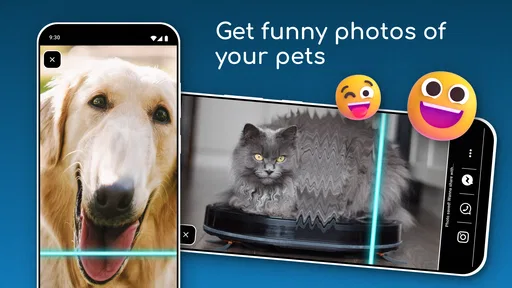
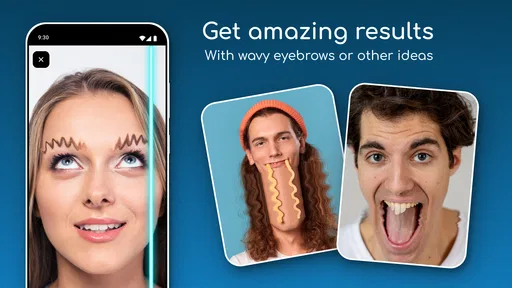
TIME WARP SCAN: Face Scanner is an entertainment app that uses a moving scan line to create amusing visual distortions in photos or videos. As the line passes across the screen, the app captures different parts of the image at slightly different moments, producing stretched faces, unusual expressions, and other playful effects. It is designed for casual sharing rather than accurate face analysis or scientific time manipulation.
Is TIME WARP SCAN: Face Scanner free to download and use?
The app may be available to download for free, but some features, effects, or options can depend on the version installed and the developer’s current monetization model. Users may encounter advertisements or optional in-app purchases while using it. Before downloading, check the app store listing for the latest pricing details, subscription information, and whether any trial automatically changes into a paid plan.
Does TIME WARP SCAN: Face Scanner require access to my camera or photos?
Yes, the main experience normally requires camera access so the app can apply the scanning effect to your face or surroundings in real time. It may also request permission to save images or videos to your device, and possibly to select existing media from your gallery. Review each permission request carefully and allow only the access needed for the features you intend to use.
Can I save and share the photos or videos created with the app?
TIME WARP SCAN: Face Scanner is primarily intended for creating humorous images and short videos that can be saved or shared. Depending on your device and the app version, you may be able to export results to your gallery or send them through social networks and messaging services. Remember that sharing content publicly can reveal faces or personal surroundings, so check the result before posting.
Is TIME WARP SCAN: Face Scanner safe for children and suitable for privacy-sensitive users?
The app is generally an entertainment tool, but parents should review its advertising, permissions, and store age rating before allowing children to use it. Camera-based apps can capture faces, voices, backgrounds, or other identifiable information, depending on how they operate. Read the developer’s privacy policy, avoid filming private situations, and disable permissions or uninstall the app if its data practices do not meet your expectations.
